Sage AI Assistant: Every Feature, Explained for Professionals
Your hands are in someone’s hair. There’s colour on your gloves, a timer running, and your phone lights up on the station. A client wants to know whether you have anything Friday.
You can’t touch the phone. By the time you rinse, set her under the dryer and wash your hands, eleven minutes have gone by. Eleven minutes is long enough for someone to book with somebody else.
Sage is StyleSeat’s answer. You talk, Sage does it. And since it launched, the list of things it does has grown a lot. Here is all of it.
The short version
- Sage runs your calendar by voice. Book, reschedule, cancel, mark a no-show, block a day off, change your hours. Every change waits for one tap from you.
- Sage edits your business, not just your bookings. Add or change a service, set a price or a duration, check out a cash client, create a promotion.
- Sage writes the message, you approve it. A reply to a client, a text campaign, an email campaign. You start with 500 free text credits, then 1,500 texts cost $10.
- Sage reads your numbers. Ask how the month went, which services are growing, or what to work on next. It answers from your own data, and it never guesses.
What the Sage AI assistant actually is
Sage is an assistant inside the StyleSeat app that you speak to in plain language. It can do things in your account, not just answer questions about them. Ask it something and it either tells you or does it.
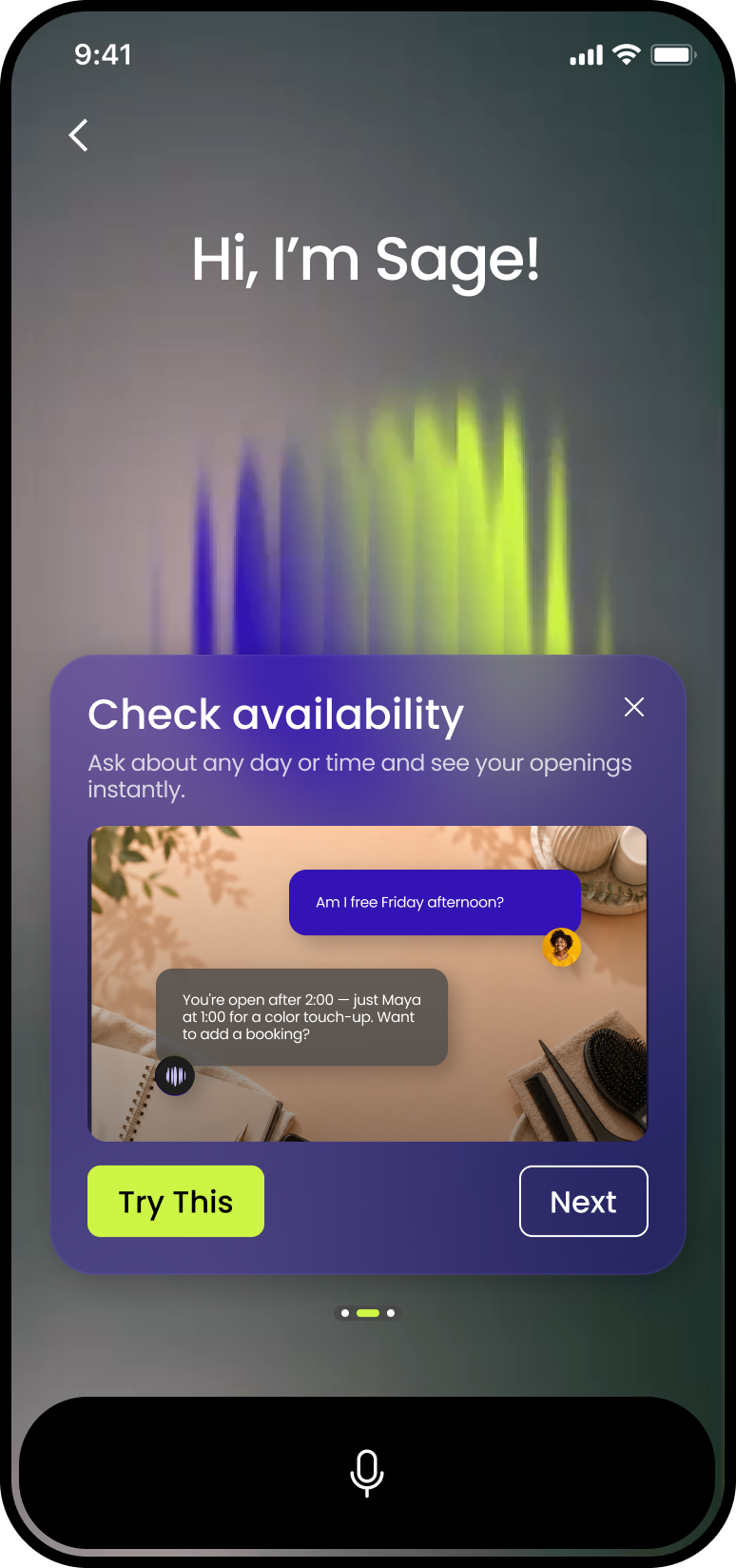
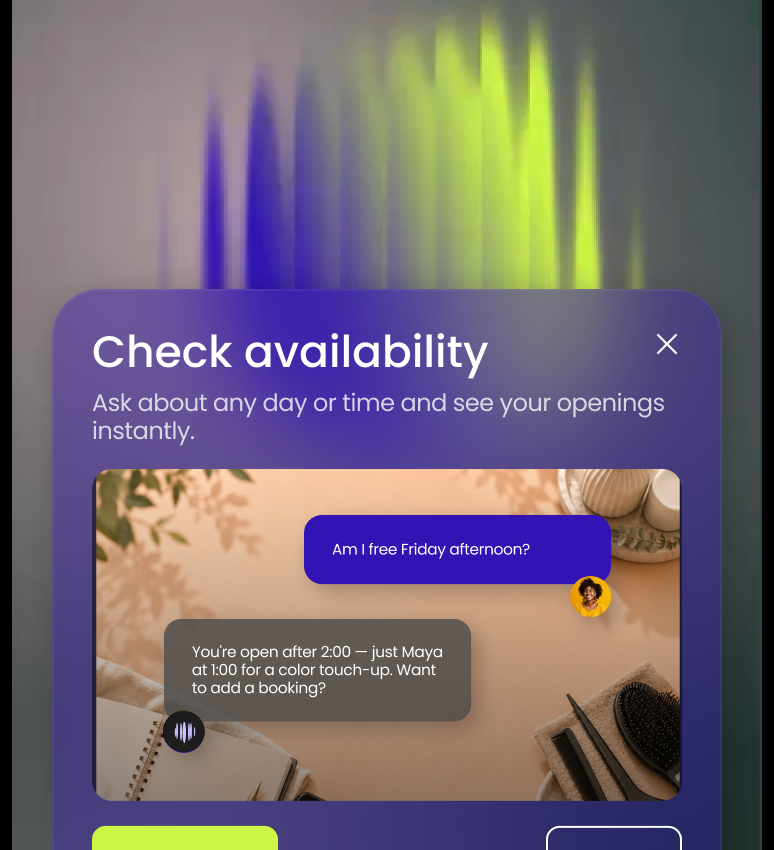
“Am I free Friday afternoon?” gets you something like you’re open after 2:00, apart from Maya at 1:00. Want to add a booking? That is the shape of the whole thing: a real answer, then an offer to do the next part.
It lives in the bottom navigation of the StyleSeat mobile app. Voice is what it is built for, and there is a text box when you would rather type. Open it and Sage shows a short list of things you can ask.
Your calendar, hands-free
This is where Sage started, and it is still what you will use most.
- Appointments — check availability, book, reschedule, cancel, mark a no-show, and pull up an appointment’s details.
- Edit an appointment in place — add a gloss to Thursday’s cut, or take a service off. Sage shows the new price before it saves.
- Your clients — find a client, see when she was last in, or add someone new. It handles names that sound alike better than a search box does.
- Days off and hours — block a vacation, close early on a Saturday, or change your weekly hours.
- Personal time — put a lunch or a school pickup on the calendar, move it, or take it off again.
Blocking time off was the thing pros asked Sage for most, and the thing it could not do. Now it can. If the calendar itself needs work, start with twelve ways to tighten up your salon calendar. Sage can help you keep them.
Your services, your checkout, your settings
Sage can read your service menu, and it can change it. Tell it to add a service, set the price, or set how long it takes. It can edit a service or archive one you no longer offer. Each change comes back as a before-and-after card. Nothing saves until you approve it.
Checkout works the same way. Card on file was always there. Now Sage can also check out a client who paid cash, by check, or with a gift card. You say how she paid, Sage closes the appointment.
And if you cannot remember where a setting lives, ask. Sage can open any feature or setting in StyleSeat on request, and change many of them for you. Everything it touches is included — here is everything that comes with a StyleSeat subscription.
Messages and marketing, written for you
A client messages you mid-service. Sage drafts the reply, and you tap Send reply or Change it. When Sage writes on your behalf it says so plainly: Sage wrote this. It sends as you.
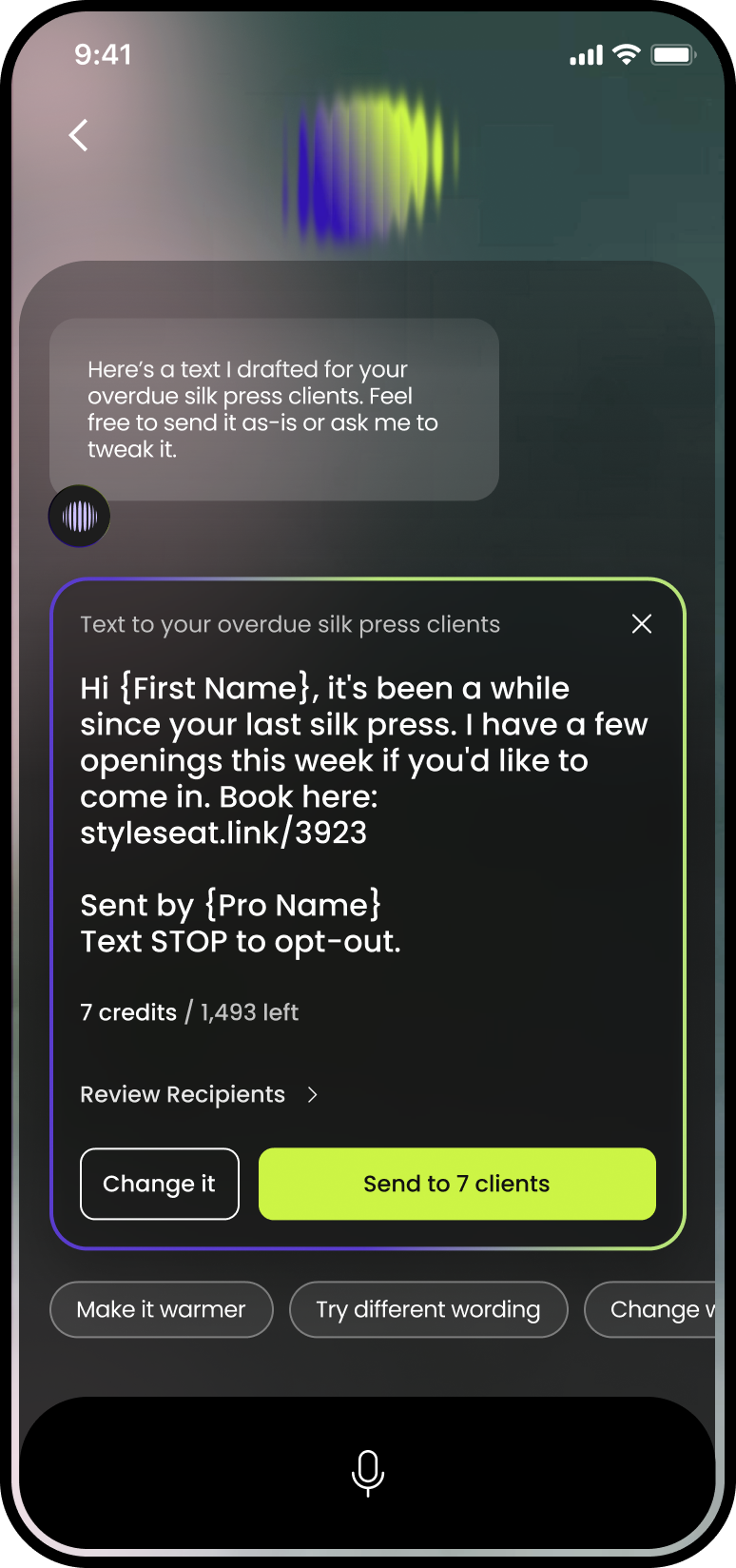
The bigger jobs work the same way. Sage can write a text campaign to a group of your clients. It shows who it goes to and what it costs before it sends. Text marketing is included, and every pro starts with 500 free text credits. After that, 1,500 texts cost $10. Your automated reminders and confirmations never use credits.
Sage can also write an email campaign with you, revise it until it sounds like you, and send it. It can create a promotion, end one, or attach a fresh one to a text. And when a client asks how to book, Sage puts your booking link on a card. Copy it, or tap Share and send it from your phone.
What a conversation with Sage looks like
| You say | Sage does | You confirm |
|---|---|---|
| “Am I free Friday afternoon?” | Reads your calendar and names the open times | Nothing — it is an answer |
| “Book Maya for a silk press Thursday at 2.” | Finds Maya, finds the service, drafts the booking | One tap on the booking card |
| “Block next Monday off.” | Drafts the day off and shows what is already booked | One tap, after any conflicts are shown |
| “Add a gloss to Thursday’s cut.” | Adds the service and shows the new price | One tap on the before-and-after card |
| “Text my regulars I have openings Thursday.” | Writes the text, lists the recipients and the credit cost | One tap, and only then does it send |
| “How did I do this month?” | Reads your earnings, appointments and clients for the period | Nothing — it is an answer |
Ask Sage how your business is doing
This is the newest part. It turns Sage from a booking clerk into something closer to a business partner. There is now a Performance tab inside Payments, beside Earnings and Payouts. It reads your own StyleSeat data and says what happened, in plain words.
You can scroll it, or you can ask Sage. How did I do this month? How many new clients did I get? Which services are growing? Which days am I busiest? Sage answers with the same numbers the tab shows, for this month, last month, or this year.
Two things make it worth trusting. First, Sage only quotes a number its tools returned, so it cannot invent one. Second, when your account is new, it says so. A topic that needs more history sits under Still filling in, with a count of how far along you are. Nothing is faked to fill a screen.
Ask Sage what to do next
“How do I get more new clients?” is the question pros ask Sage most. It now has an answer built on your numbers, not generic advice.
Sage checks whether your profile can be booked online and how your new clients compare with the 90 days before. It looks at how profile views turn into bookings. Then it names one thing to do, and often offers to do it. Open more bookable hours, add a service you already offer, share your profile link, text past clients about open time. The same goes for “how do I get clients to rebook?” and “what is New Client Connection doing for me?”
Some rules sit under every one of those answers. Sage never promises bookings or revenue. It never compares you with another pro. It never suggests a discount unless you raise one. It never tells you what to charge — your prices are yours. If you are new, pair it with getting your first new client on StyleSeat, and let Sage track the rest.
Nothing sends, and nothing changes, until you say so
Every action arrives as a card you confirm. The card shows exactly what is about to happen — the client, the time, the price, the recipients. A spoken “yes” on its own changes nothing. If you do not like a message, ask for it warmer, or shorter, the way you would ask a person.
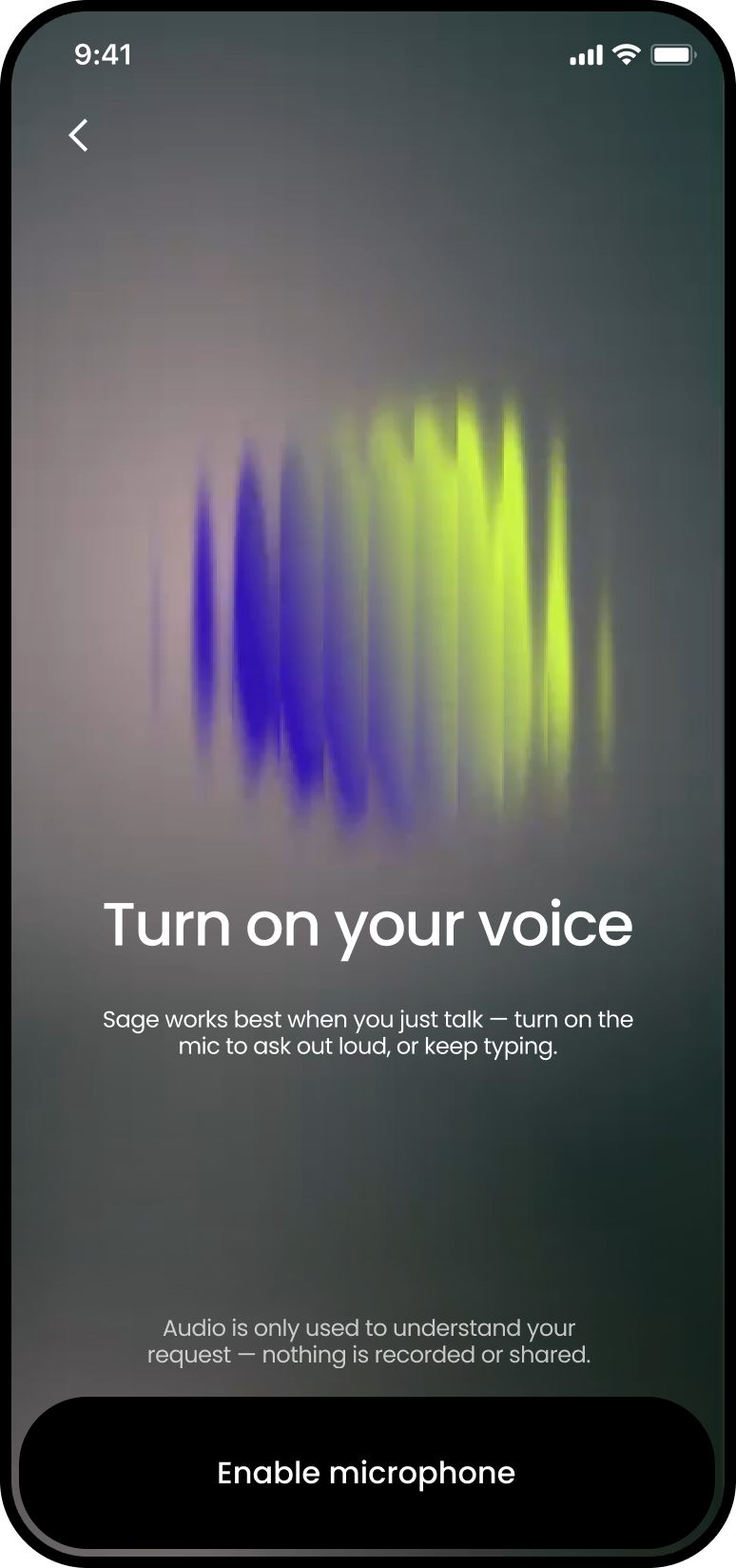
The first time you open Sage there is a short microphone setup. One permission, once, and a clear signal on screen whenever Sage is listening. Do it when you have a free minute rather than mid-service. On Android, a declined microphone permission is awkward to reverse from inside the app.
Get your time back
There is a version of this job where you are never not working. The client in the chair, the client texting, the one who wants Friday. You hold all of it at once, and you are good at it. It is also what makes you tired in a way that has nothing to do with standing up.
An assistant that answers the Friday question while your hands are busy will not change your life. It gives you back the eleven minutes, and the small cost of holding the question while you rinsed. Do that a few times a day and it adds up to a different kind of Tuesday. Do it for a month and you may know your own numbers better than you ever have.
What Sage cannot do yet
Sage cannot upload photos or video — those come from your phone. It cannot set up card payments or Tap to Pay, because both need your identity and bank details. It tells you where to go instead. It does not compare you with other pros, and it is a mobile feature with no web version. For what StyleSeat charges and why, see what StyleSeat’s fees actually are.
Sage comes with your subscription. StyleSeat is $35 a month, with a promotion running at $19, after a 21-day free trial. Start your 21-day free trial and ask Sage the first question that comes to mind.
Frequently asked questions
Where do I find Sage?
In the bottom navigation of the StyleSeat mobile app, on iOS and Android. It is a mobile feature, so there is no web version. Open it and Sage shows a short list of things you can ask.
Can Sage book or change an appointment without asking me?
No. Every calendar change, service edit, checkout and message comes back as a card showing what Sage is about to do. It waits for your tap. A spoken yes on its own changes nothing.
Can Sage tell me how much I made this month?
Yes. Ask how you did this month, how much you earned, or how many new clients you got. Sage answers from the same data as the Performance tab inside Payments. It says when your account is too new for a comparison.
Can Sage make recommendations about my business or run marketing campaigns for me
Yes Sage can answer many questions, about how much revenue you’re making, your volume of new bookings, return booking rate and whether it’s strong or could be improved. Sage will suggest marketing campaigns based on what will be most effective for you, and can even run them for you, with your approval.
Does Sage cost extra?
No. Sage is included in the StyleSeat subscription, which is $35 a month with a promotion running at $19. The only extra is a text campaign, which uses text credits: 500 free to start, then 1,500 for $10. Sage shows the credit cost before anything sends.
Can I talk to Sage
Yes. Voice is what Sage is built for, but there is a text box, and everything works the same way typed.
Find a pro near you
Book the looks you are reading about — top-rated pros in your city.