The Numbers Every Professional Should Check Once a Month
Ask most professionals how business is and you’ll get a feeling, not a number. Good month. Slow lately. Busier than last year, I think. The feeling is usually right about direction and usually wrong about size. It’s built out of the days you remember — the Saturday that ran long, the Tuesday nobody came — and memory weights the bad ones heavier.
There are two screens in StyleSeat that replace the feeling with a figure, and between them they answer the only two questions that matter: is anyone finding me, and what did I actually make.
The short version
- The Performance tab shows how many people in your area searched for what you do, and gives you one specific thing to do about it.
- The Earnings tab shows gross, net, tips, tax and every fee broken out by name.
- A monthly revenue target sits under your net earnings card and tracks against gross revenue, resetting on the 1st.
- Check them monthly, not daily. These numbers move slowly and watching them daily only makes you anxious.
Is anyone finding me?
That’s the Performance tab, inside the Marketing Suite, and the number to look at first is demand — how many clients near you searched for services you offer, over the last seven days.
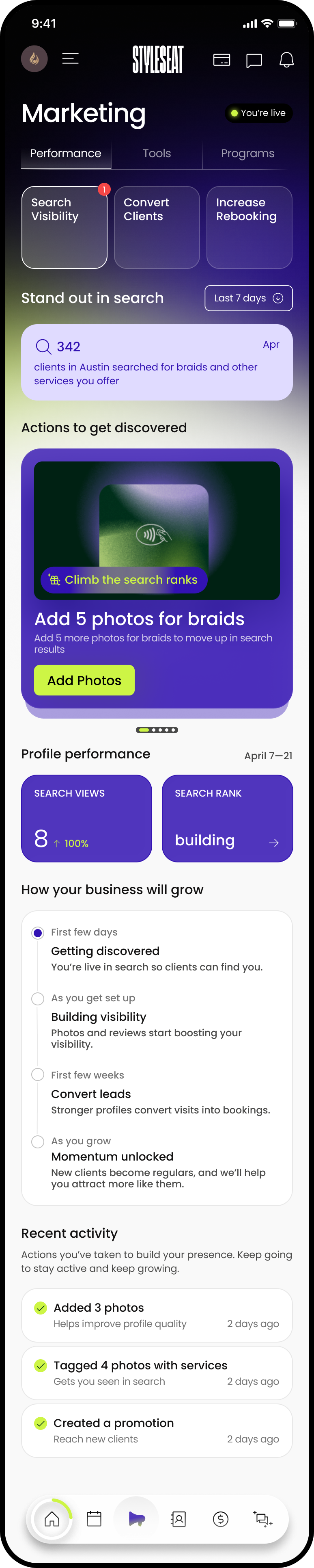
It reads like 342 clients in your city searched for braids and other services you offer. That’s the market, not your bookings — the size of the room you’re standing in. If it’s large and your calendar isn’t, the problem is visibility rather than demand, which is a much more fixable problem.
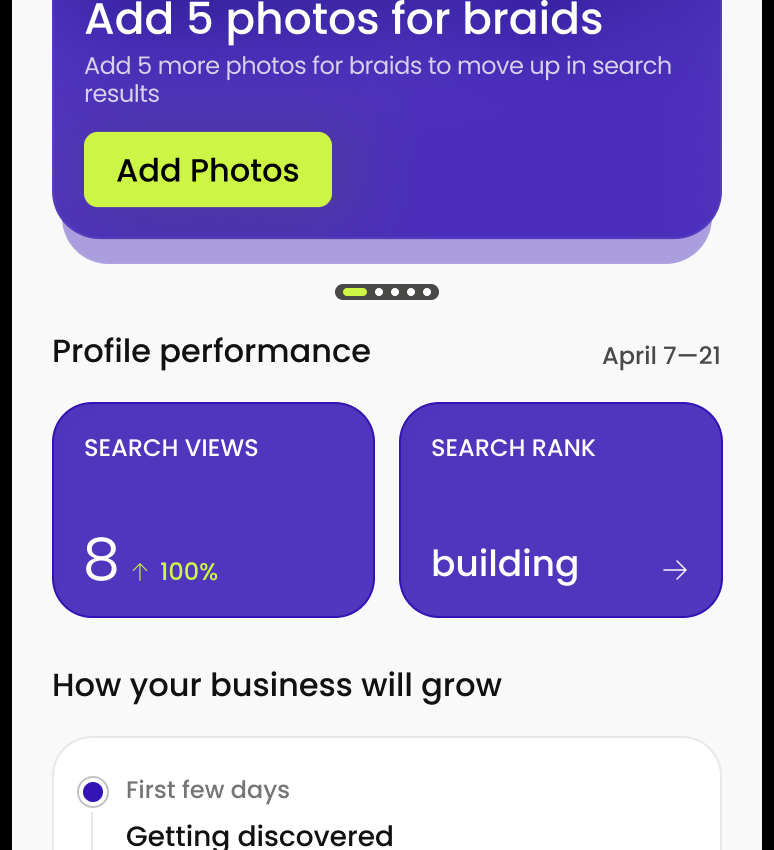
Underneath, Profile performance gives you Search Views and Search Rank over the last fourteen days, and Actions to get discovered gives you one job at a time with an honest time estimate on it — add your location, one minute; add five photos for braids to move up in search results, two minutes.
A note on Search Rank: a new profile shows it as building rather than a number, because there isn’t enough history yet. That isn’t a bad score. It’s no score.
What did I actually make?
The Earnings tab is where the feeling gets corrected, and the useful screen is the breakdown rather than the headline.

Net earnings is split into earnings, tips and tax, which matters more than it sounds. Tips are the part most professionals mentally spend and never count, and tax is the part most professionals never set aside. Seeing them as separate numbers, monthly, is most of good bookkeeping.
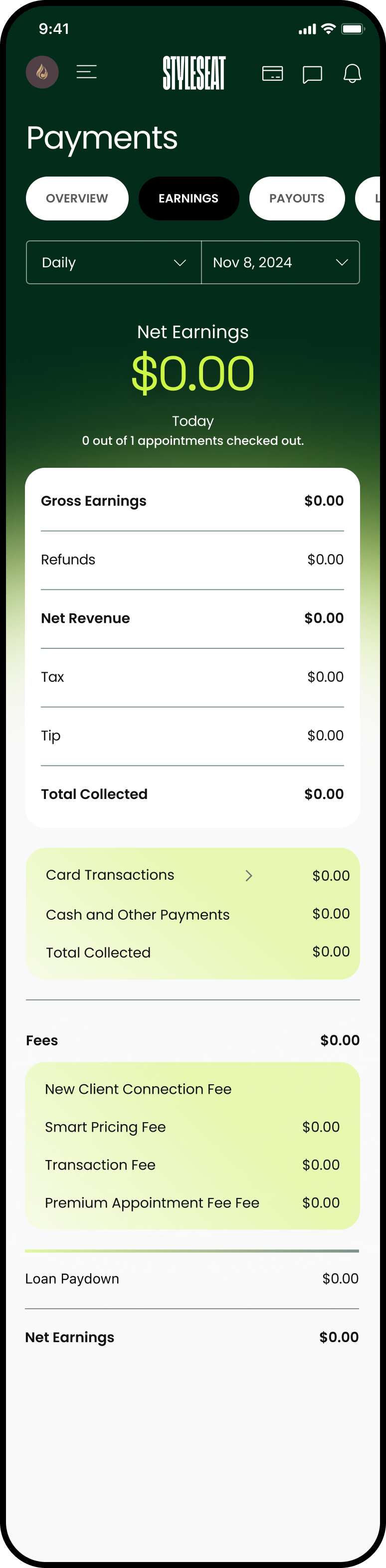
The full breakdown gives you gross earnings, net earnings, refunds, tax and tips, and Total Collected split into card transactions and cash and other payments — so the cash you took at the chair is in the same picture as the card payments.
Then fees, itemised: New Client Connection Fee, Smart Pricing Fee, Transaction Fee, Premium Appointment Fee, and loan paydown if you have taken capital. This is the part worth actually reading, because those four lines tell you what each growth feature cost you and you can weigh it against what it brought in. A New Client Connection fee is only expensive if those clients didn’t come back.
Set a target, for what you’d like to earn
Under the net earnings card you can set a monthly revenue target. It fills as the month goes, shows the dollars and the percentage, and resets on the 1st.
Two things to know. It measures gross revenue, before fees — so it’s a bigger number than what lands in your account. And it counts what has actually happened: completed work, tips, deposits in the month they were paid, product sales. It doesn’t count appointments still in the future, so a full calendar won’t move it until the days arrive.
Set it slightly above a good month rather than at a fantasy. A target you hit in the third week teaches you what you’re capable of. A target you miss by half every month for a year teaches you nothing.
Once a month, twenty minutes
You did not get into this to look at dashboards, and the honest truth is that checking these daily makes you worse at your job, not better — a slow Tuesday looks like a catastrophe on a chart and like nothing at all in a month.
So: once a month, on a morning you’re not rushed. Look at demand and at whether search views moved. Look at net, at tips, at tax, and at what the fees bought you. Do the one two-minute action the Performance tab suggests. Then close it and go back to the part of this you actually love, which is not this.
Frequently asked questions
Where do I see how many people searched for my services?
In the Marketing Suite, on the Performance tab. It shows how many clients in your area searched for services you offer over the last seven days, together with suggested actions to get discovered and your search views and search rank over the last fourteen days.
Why does my search rank say building instead of a number?
Because there isn’t enough history on your profile yet to place you. It is not a low score — it means the ranking is still being established, and it fills in as your profile gains views and bookings.
Does the monthly revenue target use gross or net?
Gross revenue, before fees are taken out. It includes completed work, tips, deposits in the month they were paid and product sales, and it excludes appointments still in the future. It resets on the first of each month.
Can I see what StyleSeat’s fees cost me?
Yes. The Earnings tab itemises them by name — New Client Connection Fee, Smart Pricing Fee, Transaction Fee and Premium Appointment Fee — alongside gross earnings, net earnings, refunds, tax, tips and total collected split between card and cash.
Find a pro near you
Book the looks you are reading about — top-rated pros in your city.