StyleSeat Can Make Your Instagram Posts for you
You know you should post more. Everyone knows you should post more. The advice is so universal it has stopped meaning anything.
The reason you don’t isn’t laziness. It’s that posting well needs a photo you’re happy with, a caption that doesn’t sound like a flyer, and about twenty minutes you don’t have — and on the days you do have twenty minutes, you have nothing new to show, because you did the same four services you always do.
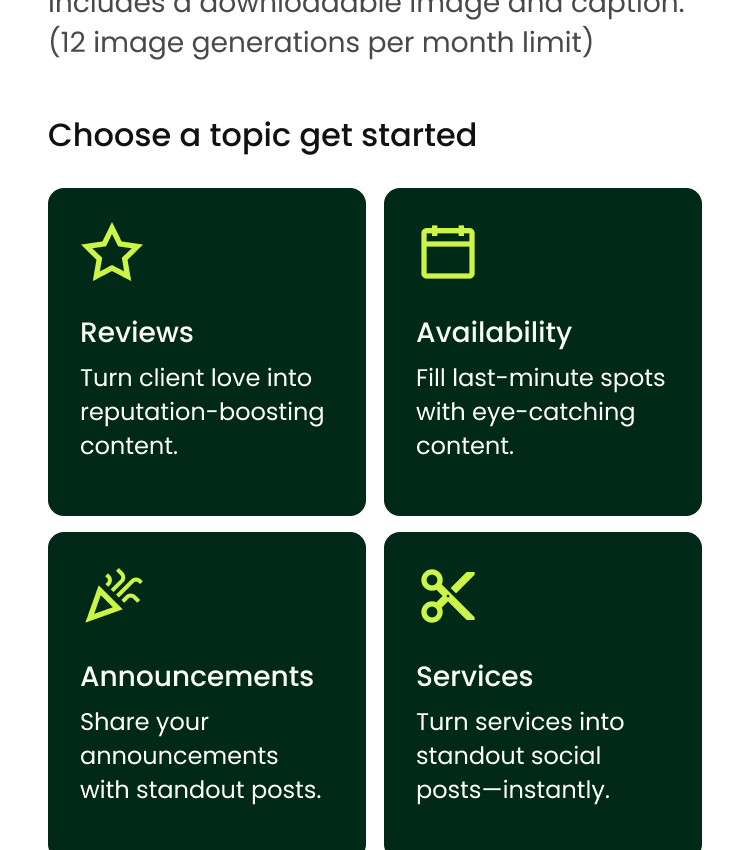
The Social Post Builder is aimed at exactly that: making something postable out of what already exists in your account.
The short version
- It makes the image and the caption from things already in your account — a review, an opening, a service, an announcement.
- You get twelve images a month. Regenerating a caption doesn’t count against that.
- You post it yourself. Download Post saves the image and copies the caption to your clipboard — StyleSeat doesn’t publish to Instagram for you.
- Everything you make is kept in a Post Library you can go back to.
The four things it can make a post about
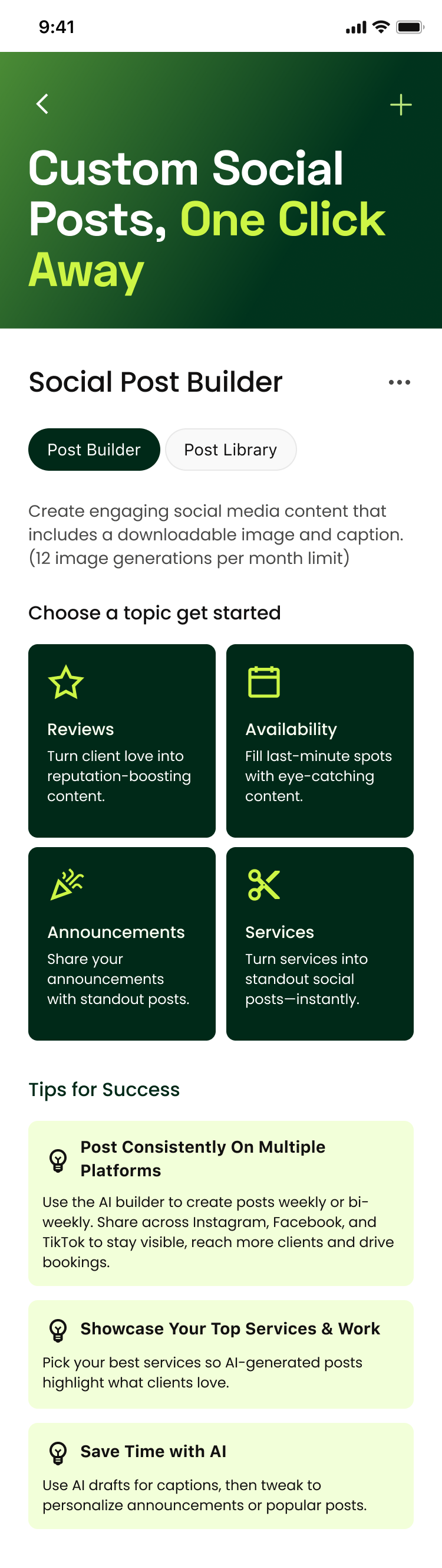
Reviews turns a client’s words into a graphic. This is the strongest of the four and the most underused, because a five-star review from a real client is more persuasive than anything you could write about yourself, and it costs you nothing to say it twice.
Availability makes a post out of a gap. This is the one for a Thursday morning when tomorrow has a hole in it.
Services turns something on your menu into a post — good for the service you want more of rather than the one you already do all day.
Announcements covers the housekeeping posts: that you’re on StyleSeat now, that you have a loyalty program, that you have a website.
Choosing how it looks
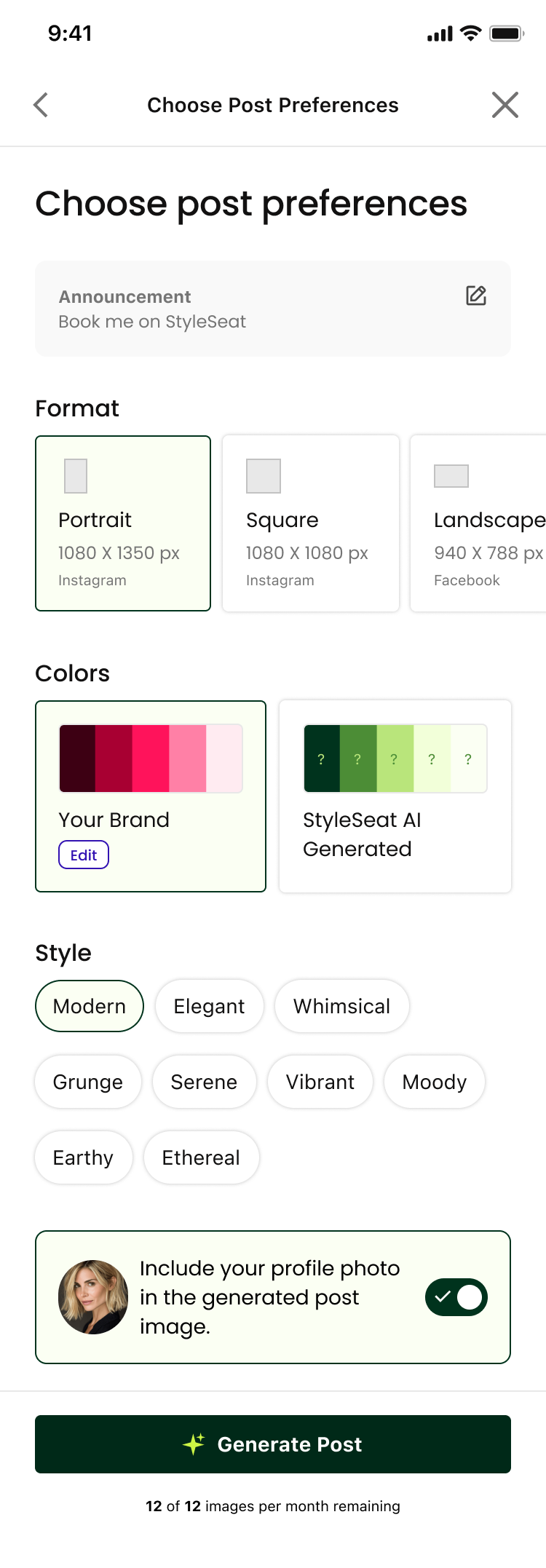
You pick a format first, and the format should match where it’s going: portrait or square for an Instagram feed post, landscape for Facebook, or the story and reel size for a vertical full-screen post.
Then colour — your own brand colours, or let it choose — and a style, from a list that runs from Modern and Elegant through to Grunge, Moody and Earthy. You can include your profile photo, and for a service post you can upload your own photo of the work rather than taking what it generates.
Pick one style and stay with it. A feed where every post looks like it came from the same person is worth more than a feed of individually prettier posts that don’t match.
Then you download it and post it
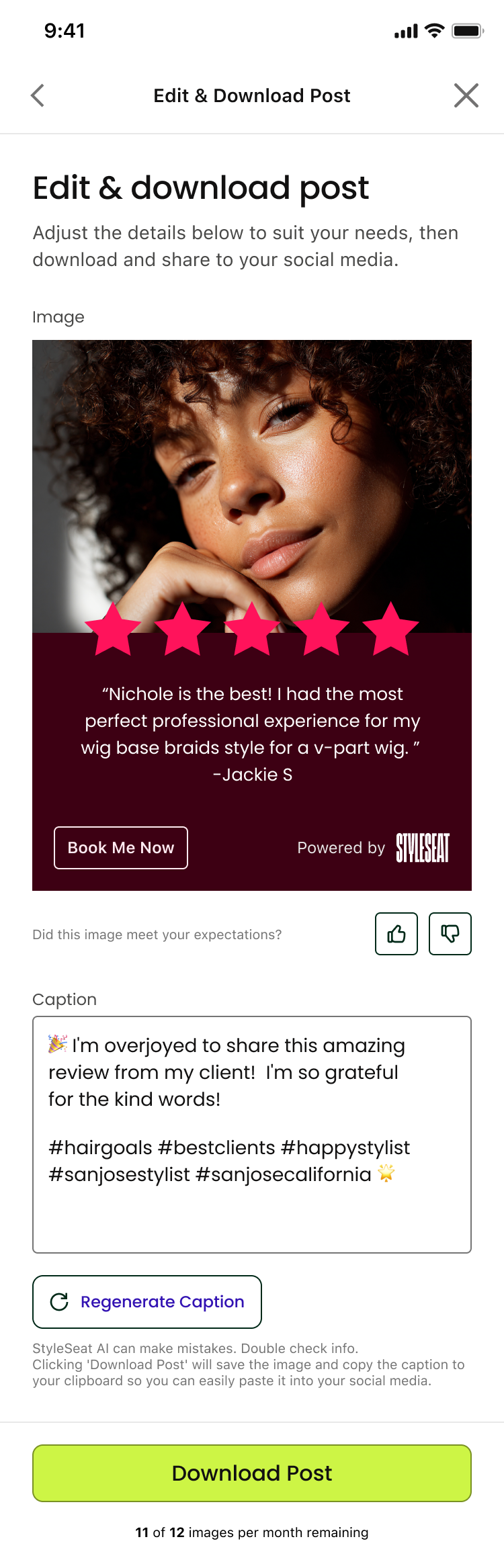
You get an image and a caption with hashtags. If the caption isn’t you, Regenerate Caption gives you another one, and that doesn’t use up any of your twelve monthly images.
Download Post saves the image to your phone and copies the caption to your clipboard, so you open Instagram and paste. To be clear about this, because it’s the thing people assume: StyleSeat does not post to your social accounts for you, and there’s no scheduling. It makes the thing; you post the thing.
Everything you generate stays in your Post Library, which is more useful than it sounds — a review post from March is still a good post in September.
Twelve is a number, not a limit to hit
You get twelve image generations a calendar month. That sounds tight until you do the arithmetic: twelve is three a week, and three posts a week is more than most professionals manage.
The trap is burning six of them in one enthusiastic evening making variations of the same idea. Better to spend them one at a time, on the actual thing happening that week — the review that came in Tuesday, the cancellation that left Friday open.
The part that is still yours
There’s a real limit to what any of this does, and it’s worth saying out loud.
The reason someone follows you is not your graphics. It’s that they can see how you handle a colour correction, or that you post the grow-out at week six and not just the day-of shot, or that you’re funny in your captions. A tool can make you a clean square with your review in it. It cannot make you interesting, and interesting is what the algorithm and the human being are both actually looking for.
So use it for the posts that are chores — the opening, the review, the announcement — and spend the time you save on the ones only you can make.
Frequently asked questions
Does StyleSeat post to Instagram for me?
No. The Social Post Builder creates the image and caption, and Download Post saves the image and copies the caption to your clipboard so you can paste it into Instagram, Facebook or TikTok yourself. There is no scheduling and no direct publishing.
How many posts can I make a month?
Twelve image generations per calendar month, with a counter on screen showing how many you have left. It resets at the start of each month. Regenerating a caption does not count against the twelve.
What can it make a post about?
Four topics: a client review, an opening in your calendar, one of your services, or an announcement — including that you’re on StyleSeat, that you have a loyalty program, or that you have a custom website.
Can I use my own photo?
Yes, for a service post you can upload your own photo of the work instead of using a generated image. You can also include your profile photo, and choose your own brand colours rather than letting it pick.
Find a pro near you
Book the looks you are reading about — top-rated pros in your city.